A normal phone and computer already collect your location, app use, search history and behaviour by design. Phone tracking apps and background reporting run on most devices whether you open them or not. Telcos must keep certain metadata for two years. New privacy rules make organisations behave better after they already have your data. They do not rewire the device in your pocket.
Protecting your privacy in Australia means working through a sequence. Start with accounts, then the browser, then the apps, then the phone. Each step in this guide covers a gap the previous one cannot.
Quick answer:
Australian rules and systems are different from other countries.
-> Metadata: Telcos keep certain metadata for two years. A VPN and a hardened phone reduce what else gets created. They do not change the law.
-> Identity documents: A licence and passport are high value. Treat an unexpected “verify your ID” message as a scam until IDLock is fully live (2027 rollout).
-> myGov, banking, Medicare: Privacy here needs a stronger login, not a full exit. Cut what other apps on the same phone can see.
-> Complaints: Write to an organisation first, and keep a copy. Then complain in writing to the OAIC. The OAIC will not take that complaint by phone.
-> It still has to work: A setup that cannot call on Telstra, Optus or Vodafone, or open a bank app, is one most people drop. Usable privacy beats a setup you stop using.
This is the highest return.
Chrome with default settings is an advertising platform that also shows pages.
Use Brave with tracking protection on Strict, or Firefox with uBlock Origin. Change search to DuckDuckGo, Brave Search or Startpage. Use the same browser on the phone. Keep a second browser only for a site that breaks. Tor is for the rare job where anonymity matters more than speed.
Audit the 5-10 apps you use, not the whole phone.
For each one, ask whether it still works without the camera, microphone, location, contacts or nearby devices. If it does, turn that permission off. If it becomes useless, decide whether you still want it.
Delete anything you have not opened in 90 days. That removes more tracking than a cleaner app. Avoid cleaner, booster and free VPN apps. They are often the leak.
Settings on stock Android and iOS do not turn off the business model. You cannot make a normal phone behave as if it was never built to report home.
A Privacy Phone is a new Australian Google Pixel, deGoogled with GrapheneOS. Google’s tracking layer is removed at the system level. Isolated profiles keep banking away from everything else. Optional sandboxed Google Play covers the apps that still need it. Telstra, Optus, Vodafone and most major bank apps work when the phone is prepared for local networks. New Australian stock, a two-year warranty, configured for 4–7+ hours before it ships.
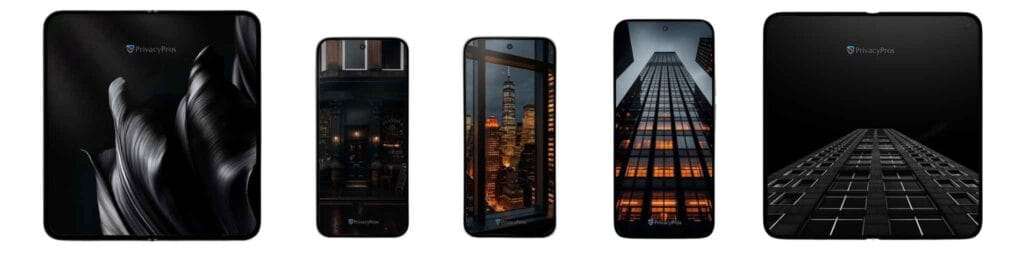
Many “privacy devices” sold in Australia are refurbished, grey imports, or unfinished setups. The history is unknown, and the warranty is often a year or less. For a phone you will rely on, new Australian stock with 2-year warranty is the baseline.
Windows 10 support ended on 14 October 2025. Windows 11 added more telemetry and AI features. macOS is quieter than stock Windows on some points, and still keeps you inside an Apple account.
If the computer holds tax, work or family files, a Privacy Laptop on a Windows-like Linux system such as Zorin OS is the practical swap. Same idea as the phone: less default reporting, a familiar screen.
Change the phone first if you can only change one device. It travels with you everywhere.
A Faraday bag blocks cellular, Wi-Fi, Bluetooth, GPS and NFC while the device is inside. It is legal in Australia. It is useful for a meeting, a car key overnight, or a situation where the phone must go silent.

Off-grid mesh (MeshCore on the AU legal 915 MHz band) is a fallback if towers, bush or blackouts are the problem. It’s not a substitute for the steps above.

If a breach email arrives, do not open the link. Open the organisation’s website yourself and validate.
Change that password and any account that reused it. Turn on an authenticator app. If money or identity documents were involved, call the bank on the number on the card and contact IDCARE on 1800 595 160. Place a credit ban with Equifax and Experian if someone may apply for credit in your name. Report a cybercrime through ReportCyber.
If a covered organisation mishandled your information, write to them first. Then lodge a written complaint with the OAIC. The full order is in What to Do After a Data Breach.
If the harm is tech abuse, call 000 if you are in danger. Otherwise 1800RESPECT on 1800 737 732, Lifeline on 13 11 14, 13YARN on 13 92 76, and eSafety. A hardened phone can sit inside a safety plan, it’s not the plan (see DV Safe Phones).
-> Week 1: A password manager. Two-factor authentication on email, myGov and banking. Have I Been Pwned. Delete five dead accounts.
-> Week 2: A private browser and search engine. Permissions cut on the 10 apps you use most.
-> Week 3: Decide whether the phone operating system is acceptable. If it is not, plan the swap. Do not install a random privacy app on stock Android.
-> Week 4: The same decision for the laptop, if you bank or work on it. A Faraday bag if a dark phone or a car key matters.
Revisit the plan after a breach notice, or after 10 December 2026, when automated-decision wording starts appearing in privacy policies.
A different password and two-factor authentication, a browser that blocks trackers, tighter app permissions, then a phone and laptop that do not report home by default. The law helps after the fact. It does not replace the sequence.
No. A no-logs VPN hides some traffic from the café and from your internet provider. It does not stop the operating system, or an app, sending data to its own company.
Yes, when it is prepared for local networks. Telstra, Optus, Vodafone and most major banking apps work on a configured Privacy Phone.
No. The first three steps cost nothing. Hardware is the step you take when you want the operating system itself to stop reporting.
No. A refurbished or grey-import phone has an unknown history and a weaker warranty. For a daily phone, new Australian stock with a two-year warranty is the baseline.
You do not protect privacy in Australia by reading the Privacy Act. You protect it by changing what the account, the browser and the phone do every hour.
Start with the half-hour jobs. The operating system is the step those jobs cannot finish.
-> Discover free Privacy Tools
-> See Privacy Phones
-> See Privacy Laptops
[Last updated: 9 October 2026. Educational only – not legal advice]