
You switch to a Privacy Phone in Australia to stop the operating system collecting your location, app use and behaviour in the background, even while the phone sits idle. That stream on stock Android and iOS feeds ads, data brokers and AI systems. A Privacy Phone does not.
GrapheneOS is the system the privacy industry, including Proton, regards as the most private phone OS in 2026. Edward Snowden, NSA-contractor who exposed global surveillance programs, recommends it.
| Feature | Normal Phone | Privacy Phone |
| OS tracking | Background collection | None by default |
| Sensors | App permissions + leaky system | One-tap kill switches |
| Account | Google or Apple required | None required |
| Separate spaces | Limited | Up to 32 profiles |
| Kids / teen | Family Link or Screen Time | A full profile you control |
| Emergency wipe | Basic factory reset | Duress PIN to wipe device |
| Setup | You do it | We do 4-7+ hours before it ships |
See Essential or Pro Bundle for the two setup depths we offer.
A Privacy Phone stops a phone operating system treating your life as a product. Our level of configuration sets a higher standard in Australia, and it arrives ready.
-> See all FAQs

GrapheneOS is a privacy-focused Android-based operating system for Google Pixel phones. It is de-Googled: Google services and tracking are removed while everyday Android apps still work. We sell new Australian-stock Pixels with GrapheneOS professionally configured by hand, with a 2-year Australian warranty and Australian support.
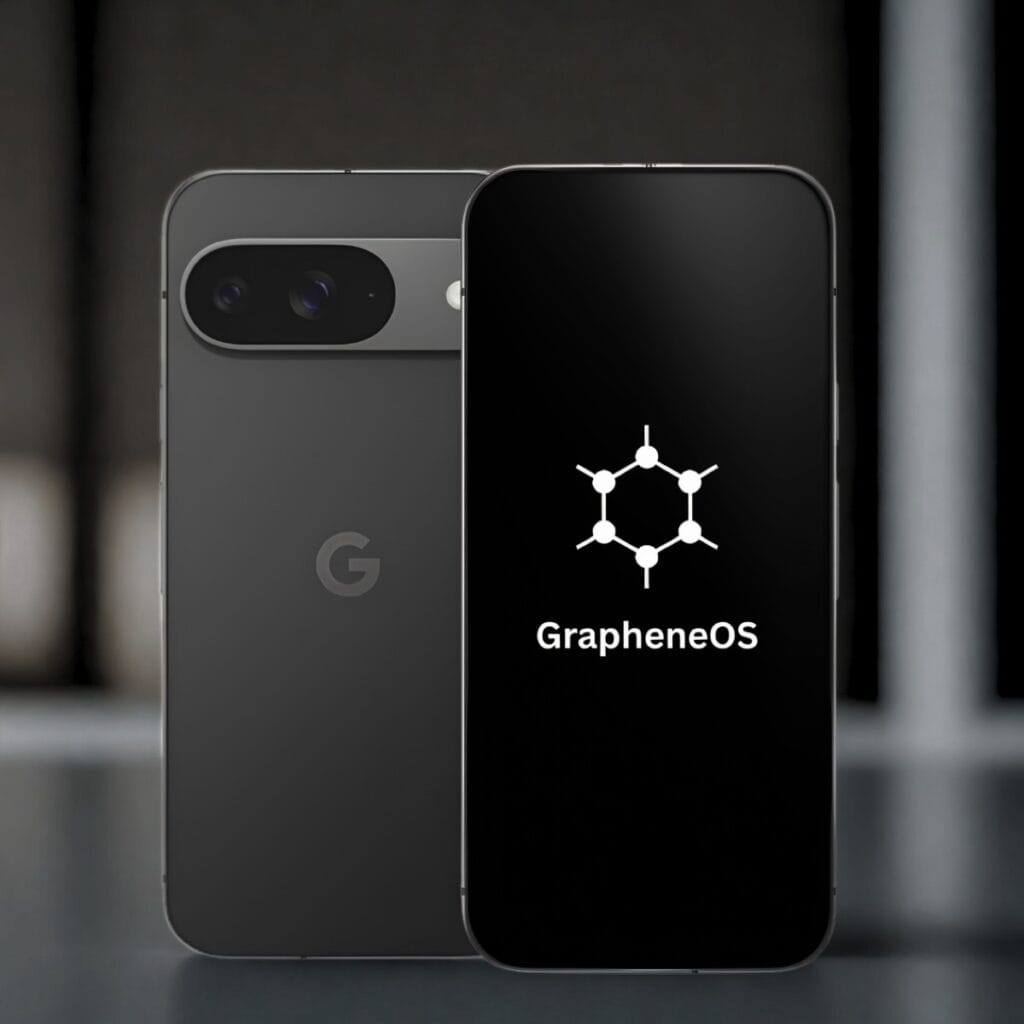
Yes. GrapheneOS is free open-source software that you install and use on a phone you own. It works on Telstra, Optus and Vodafone networks in Australia, and you keep your existing number. No special permissions are required to use it on your device.
Privacy experts and organisations such as Proton align with GrapheneOS as the strongest de-Googled Android option for a Privacy Phone in 2026.
Officially, yes. Current support is for Google Pixel phones because they meet the required hardware and update standards. PrivacyPros sells new Australian-stock Pixel phones for this reason.
There is no flashing or technical setup required from you. The phone arrives ready to use. You insert your SIM or eSIM and start everyday use.
GrapheneOS is community-driven and does not profit from your data. For the latest GrapheneOS features, see official site list at grapheneos.org/features.
Our level of professional configuration ensures an easy transition from normal phones. Our configuration includes usability so everyday apps, calls, messages and banking work when the phone arrives. You get GrapheneOS control without the complexity.
GrapheneOS suits non-technical Australians, families and everyday users who want stronger privacy defaults without building or flashing a phone themselves.
It also suits professionals such as doctors, lawyers and journalists, plus travellers and people handling sensitive client or personal information who need tighter control over apps, sensors and location.
De-Googled only means Google services were removed the phone. The replacements are not equal.
GrapheneOS, CalyxOS, LineageOS and /e/OS all start from Android. They differ on security hardening, how they talk to Google, which phones they support, how fast patches land, etc.
| GrapheneOS | CalyxOS | LineageOS | /e/OS (Murena) | |
|---|---|---|---|---|
| Focus | Security-first hardening | Privacy with app compatibility | Custom ROM, wide devices | Beginner-friendly de-Google |
| Google path | None by default; optional sandboxed Play | microG | Customisable (potential leaks) | microG |
| Device Support | Google Pixels only | Pixels + others | Wide range | Fairphone and select devices |
| Usability for Beginners | Simple like stock Android | Easy, some Google services optional | Often needs tweaks, buggy | App-focused, slow performance |
| Updates | Up to 7+ years on current Pixels | Shorter, device-dependent | Varies by maintainer | Device-dependent |
| Australian Compatibility | Full support (Telstra, Optus, Vodafone, etc) | Good compatibility | Uneven | Limited local support |
We configure and ship GrapheneOS only. It is the strongest hardened de-Googled option for Australians. You get stronger defaults, everyday apps that work, and without the trade-offs of other systems.
-> See all FAQs
-> Contact us
We sell new Australian Pixels, de-Googled with GrapheneOS, configured before it ships. The privacy system and setup are the same across models. The model only changes the screen, camera, battery and whether it folds.
All phones come with a 2-year Australian warranty. We don’t sell refurbished or grey import phones. A used or grey-import “privacy phone” in Australia arrives with someone else’s hardware history, inherited risks, and a shorter warranty. See PrivacyPros vs other privacy phones.
GrapheneOS needs a bootloader you can relock, Verified Boot, a Titan security chip, and years of firmware updates. Current Pixel 9 and Pixel 10 series have that. Samsung, iPhone, generic Android, and the Pixel 11 series do not. Until another device has official GrapheneOS support and meets the same bar, we stay on new Australian Pixel 9 and Pixel 10 phones.
| Model | Sizes Available | Best For |
|---|---|---|
| Pixel 10 | 128GB, 256GB | Best value entry to Pixel 10 series |
| Pixel 10 Pro | 128GB-1TB | Balanced flagship |
| Pixel 10 Pro XL | 256GB-1TB | Large screen |
| Pixel 10 Pro Fold | 256GB-1TB | Current-gen foldable |
| Pixel 9 Pro Fold | 256GB, 512GB | Value foldable (phone + tablet) |
Essential and Pro Bundle are the same phone with different depth of setup. See Essential or Pro Bundle.
Pick the body you will actually carry. All of these become private phones once configured.
-> See all FAQs
We sell two tiers of Privacy Phones: Essential and Pro Bundle. Both are the same phone – new Australian Pixel, de-Googled with GrapheneOS, configured before it ships. The difference is how far we set it up, how many profiles arrive ready, and what’s in the box.
Essential is not the insecure option. It is the same operating system with less of the setup done for you.
| Essential | Pro Bundle | |
|---|---|---|
| Best for | One hardened profile | Separate rooms on day one |
| Setup | 4+ hours | 7+ hours |
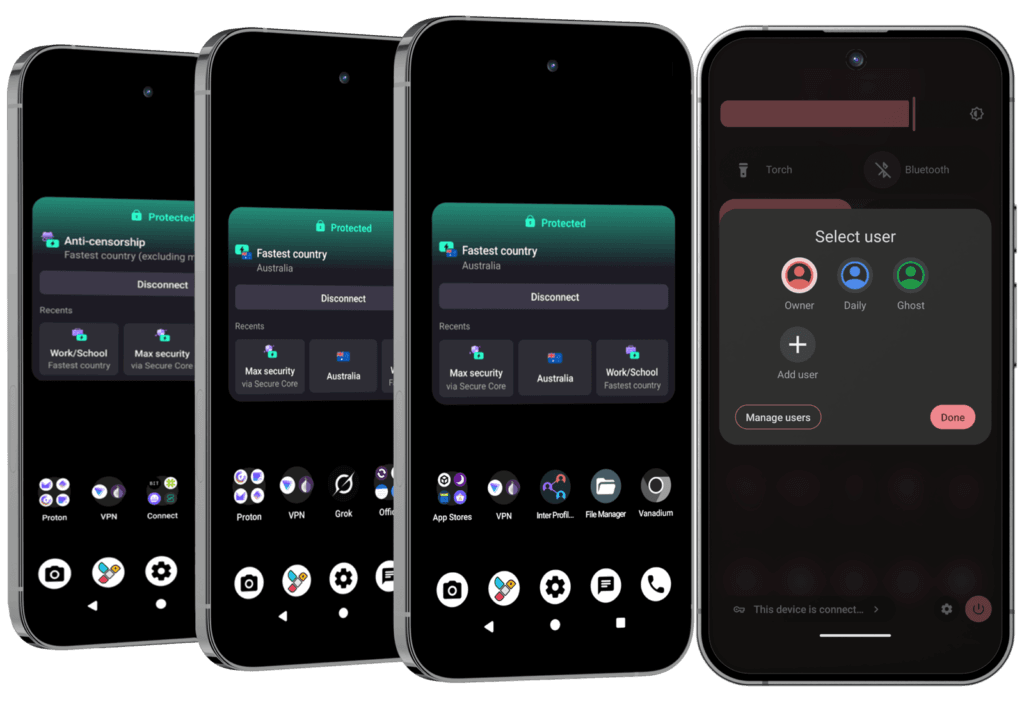
| Profiles on arrival | Owner (you add more) | Owner, Daily and Ghost (switch in seconds) |
| Proton | Free (you set up the account) | 1-year Unlimited (~$200) + account setup |
| In the box | Phone, cable, SIM tool, guides | Same + Faraday bag, camera covers, RFID/NFC blocker, mini notebook, 20-minute support call |
You can add extra profiles or Private Spaces on Essential later. Pro Bundle is the version where those profiles are already built, documented and supported.
GrapheneOS profiles are isolated rooms: separate apps, data and encryption keys. Switching takes seconds.
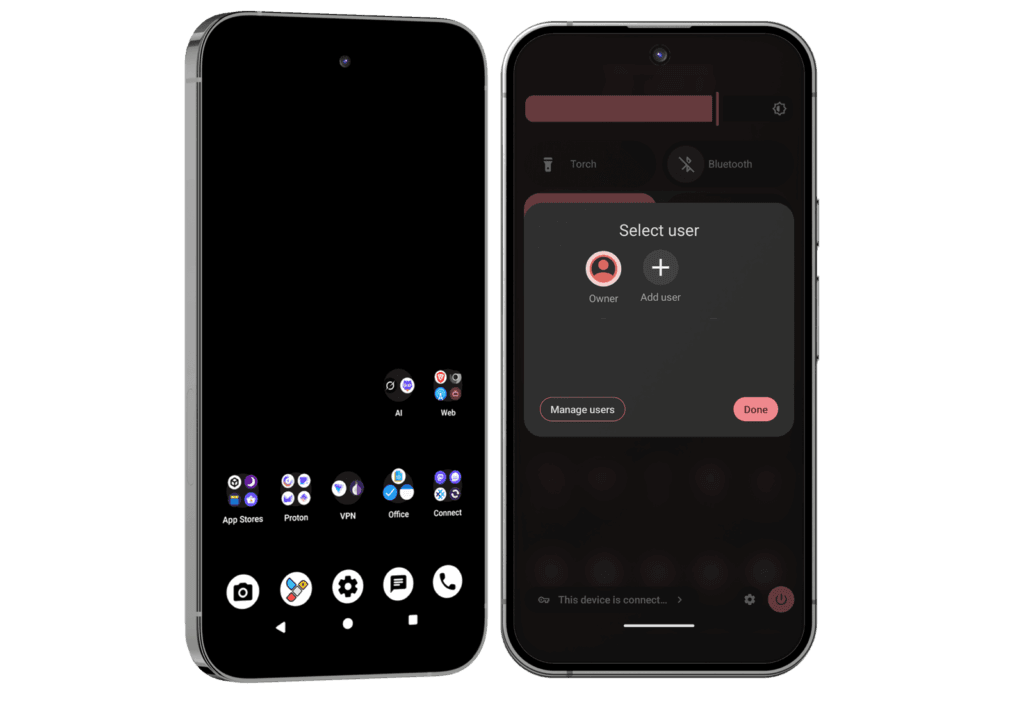
Essential and Pro homescreens (subject to change as our standards evolve):
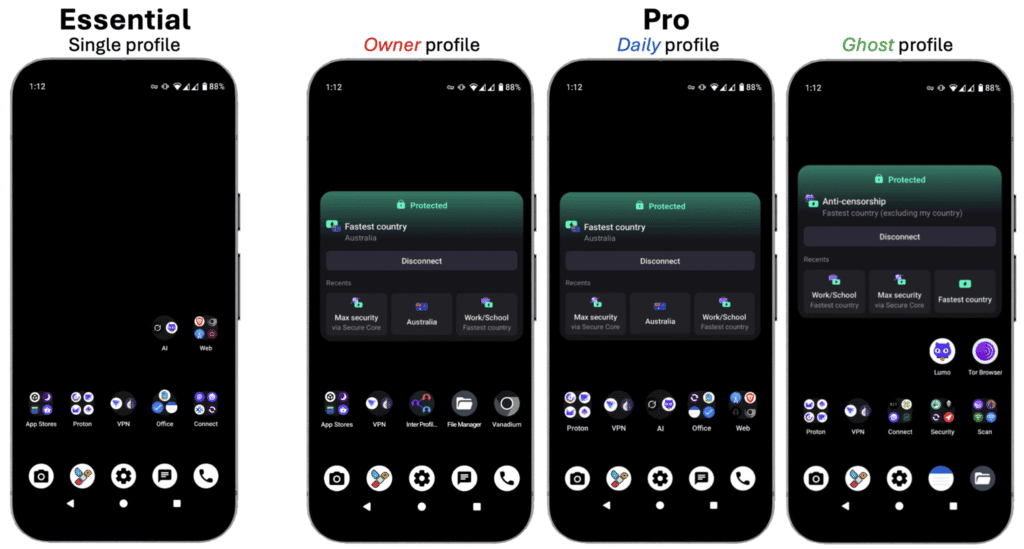
Choose Essential if the phone itself is the main leak you want closed, and you are comfortable adding profiles later with the User Manual.
Choose Pro Bundle if you handle sensitive work, you travel, or you want work and personal apps separated the day the phone arrives, with Proton Unlimited and the Faraday bag already in the box.
Most people who want separate profiles on day one choose Pro Bundle.
-> See all FAQs
A Privacy Phone is a new Australian Pixel, de-Googled with GrapheneOS. The configuration standards are the 4-7+ hours of work by our Pros on top of that operating system, using a 100+ point checklist.
Our goal is to provide a private phone that sets a higher standard in Australia, with configuration focused on privacy, security, usability and resilience.
Anyone can flash GrapheneOS. The secure phone we sell is hours spent by our experts using a 100+ point checklist. Essential is about 4 hours. Pro Bundle is 7+ hours. See Essential or Pro Bundle. This checklist changes when GrapheneOS or the Australian threat model changes.
Both use the same standards. Pro goes further: Owner, Daily and Ghost profiles already configured, Proton Unlimited account set up, Faraday bag and accessories in the box, and a 20-minute support call.
A flash-and-ship phone is GrapheneOS in a box. Ours is the hours after that: new Australian Pixel stock, a two-year AU warranty, and a registered Australian company that still answers after it ships. How that compares is in PrivacyPros vs other privacy phones in Australia.
The standards close the device layer on a de-Googled GrapheneOS privacy phone. They are not the whole stack. Accounts, the browser, privacy-first habits, a Faraday bag if you need the phone dark, and off-grid communications sit on top.
-> See all FAQs
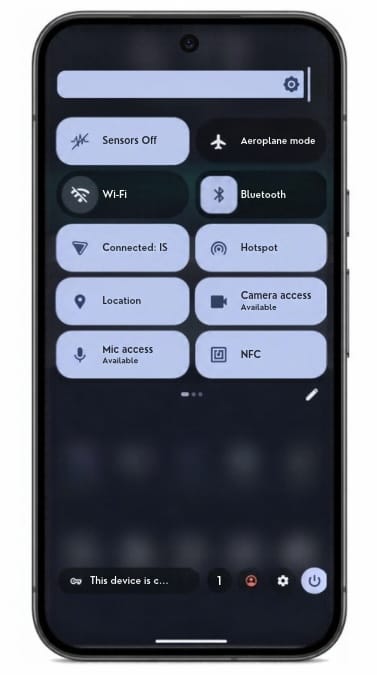
Kill switches are one-tap tiles that turn off the camera, microphone, location, sensors, network, NFC or USB. They cut the path in the operating system. An app cannot flip it back on.
A permission screen is an app asking. A kill switch is the system refusing the hardware. Camera off means camera off, including to an app that already had permission.
Work and personal separation is profiles – a different control. See Isolation features.
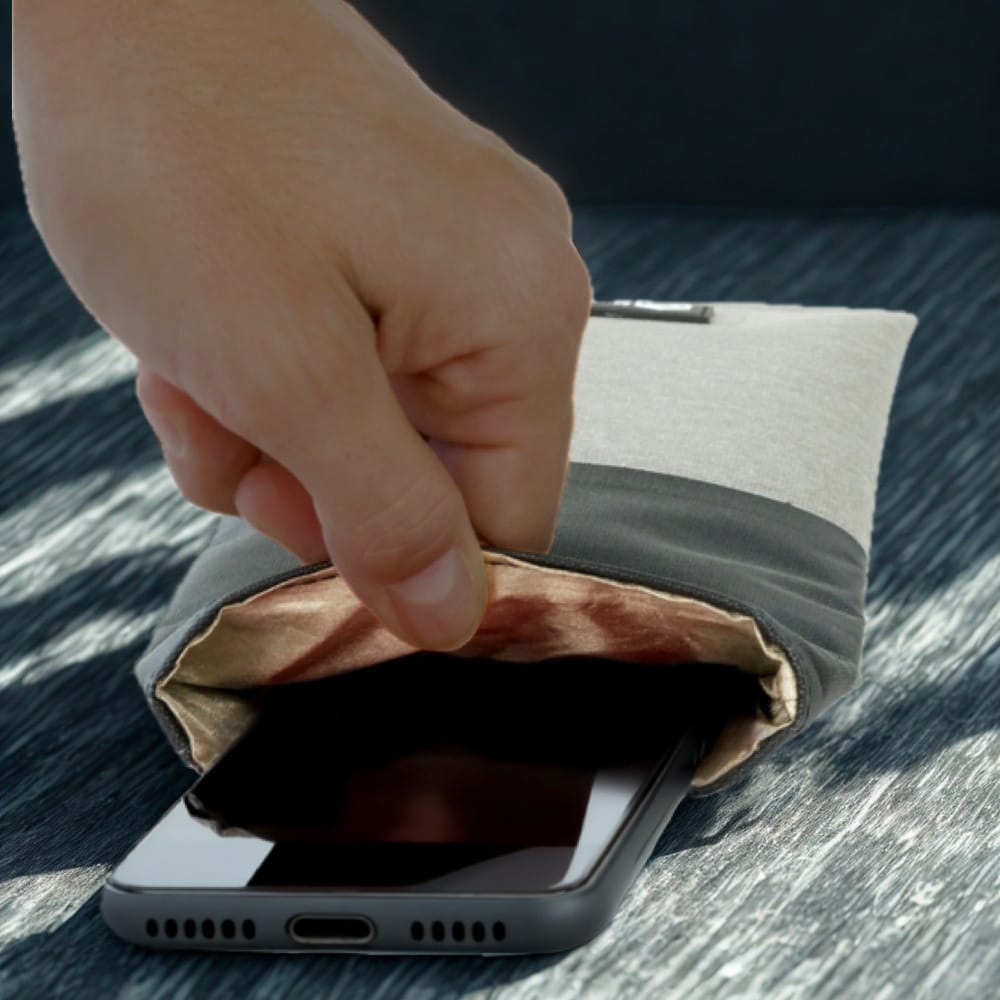
The tiles quiet the phone from the inside. A Faraday bag blocks all the radios from the outside as well. Pro Bundle includes a Mission Darkness Faraday bag for phone.
-> See all FAQs
A Privacy Phone can run separate profiles. Each with its own apps, files, and encryption keys.
GrapheneOS treats these profiles as separate users, not folders. Work stays in one. Banking stays in another. A child’s profile can be limited and controlled. Everyday apps stay in their own room. You switch between them in seconds, with no reboot.
How these are laid out, and which tier to buy, is in Essential or Pro Bundle.
A profile is a complete separate user on the phone. It has its own apps, files, accounts and encryption keys. You can also control whether that profile can make calls or send texts, on the SIM or the eSIM. It is closer to carrying a second phone than to a work folder on a normal Android device.
A hidden room inside a profile, locked with its own PIN or fingerprint. Use it when you want one or two apps out of sight without creating a whole new profile. It has its own encryption. It still shares a few conveniences with the parent profile i.e. clipboard is. See it like a hidden drawer, not a second phone.
Fine control over what one app can see inside a profile:
The User Manual covers how to set these up.
Separate profiles are one of the strongest practical advantages of this system. A compromised app or a messy profile stays contained.
-> See all FAQs
Yes. A Privacy Phone can give a child or teenager their own profile on a phone you control.
That profile has its own apps, its own PIN and its own encryption keys. You decide what is in it. While installs are switched off, they cannot add an app store and fill it themselves.
This is not a separate kids phone we sell, and it is not a monitoring service. It is a GrapheneOS feature the setup is built for. You keep Owner. They get a limited profile.
A stock family phone usually comes with a Google or Apple ID in the child’s name, and an app store already open. This layout removes both.
From 10 December 2025, age-restricted platforms in Australia must take reasonable steps to stop under-16s holding accounts. That removed a lot of Instagram, Snapchat, TikTok and YouTube logins. It did not remove the Google or Apple account created the day a normal phone came out of the box. It did not stop a browser opening the same sites without logging in.
From 10 December 2026, the OAIC must register a Children’s Online Privacy Code. The dates are in Australia’s Privacy Law Changes. Neither rule removes tracking from stock Android or iOS.
Family Link and Screen Time need a platform account on the child. You see more, but the company does too.
A Privacy Phone works the other way. You decide what exists in the profile. You do not get a live feed of their chats. Google does not get a childhood file from the operating system. An app you then allow can still collect what you permit it to collect.
Screen time, sleep and the habit itself are a separate problem. That guide is Device Addiction with Kids.
A profile is a real user. Its own apps, files, keys and PIN. An app in one profile cannot read another. You switch in seconds. See Isolation features.
Owner is yours. It takes updates and pushes apps into the profiles you manage. After a restart, Owner unlocks first, then they switch. Give them their own PIN. Keep Owner’s PIN as the master key.
When you add the profile you can block new installs and restrict calls and texts. If TikTok is not installed, it is not in that profile.
Private Space is a hidden drawer inside a profile. It is the wrong tool for a child. Use a full extra profile.
Optional Private DNS in Owner, such as Cloudflare for Families or NextDNS, blocks many adult and phishing domains. It is a layer, not a wall. A browser can still reach what DNS does not catch.
Essential arrives with Owner ready. You add their profile with the User Manual.
Pro Bundle arrives with Owner, Daily and Ghost already built. Their room is best created as a fourth profile. The 20-minute support call can cover the layout once. A longer walkthrough is a consultation. See Essential or Pro Bundle.
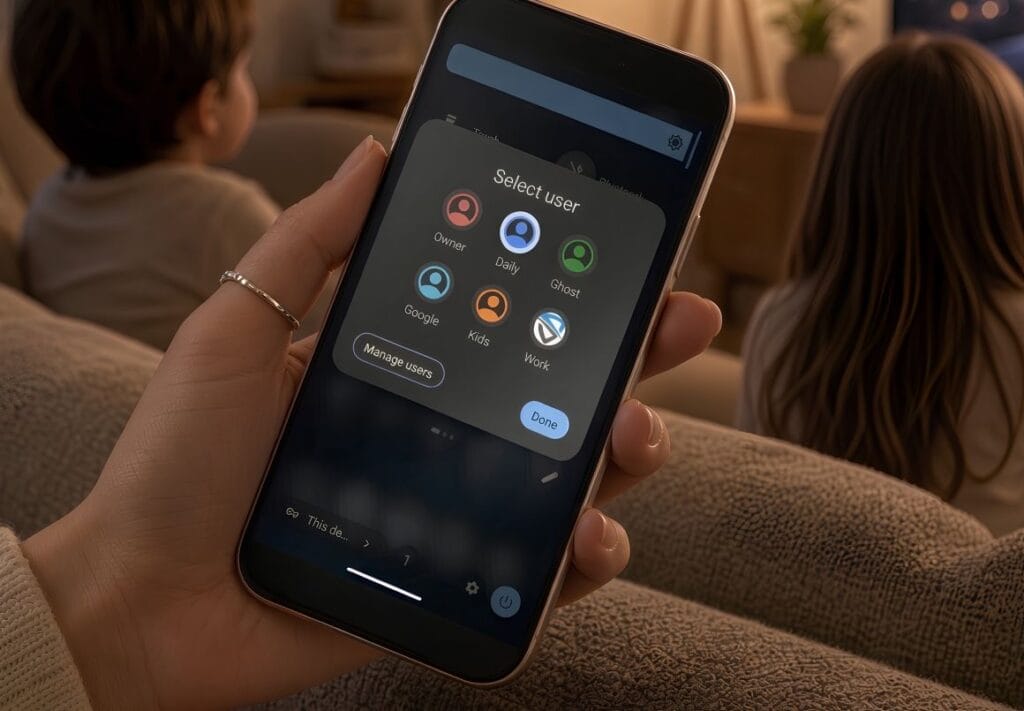
Start with a configured Privacy Phone. Keep Owner. Give them a limited profile, and control what’s in it.
-> See all FAQs
Every Privacy Phone arrives with four app stores already set up. You can browse and install without a Google or Apple account.
Pick a store. Install what you need. The phone still feels like Android.
-> See all FAQs
Every Privacy Phone arrives with a vetted set of apps installed and ready. You are not assembling a privacy stack from scratch.
A stock phone arrives already tied to a platform account and a store that profiles you. This set works on day one without that.
Everything above, plus:
Unlike others, we provide a complete, ready-to-use privacy-first ecosystem. Our detailed User Manuals include an overview of each app, Pro-tips, video links, alternatives, etc.
This approach helps you avoid a steep learning curve while maximising privacy from day one.
-> See all FAQs
-> How to Protect Your Privacy in Australia
Yes. The Proton app set is on every Privacy Phone.
Mail, VPN, Drive, Calendar, Pass, Authenticator, Wallet, Meet and Lumo are installed on Essential and on Pro Bundle. The difference is the plan. On Pro Bundle we also set the account up.
We are a Proton Partner. The apps are Swiss-hosted. Mail and Drive are end-to-end encrypted. The VPN is no-logs. They sit inside GrapheneOS’s sandbox, so they do not get a free look at the rest of the phone.
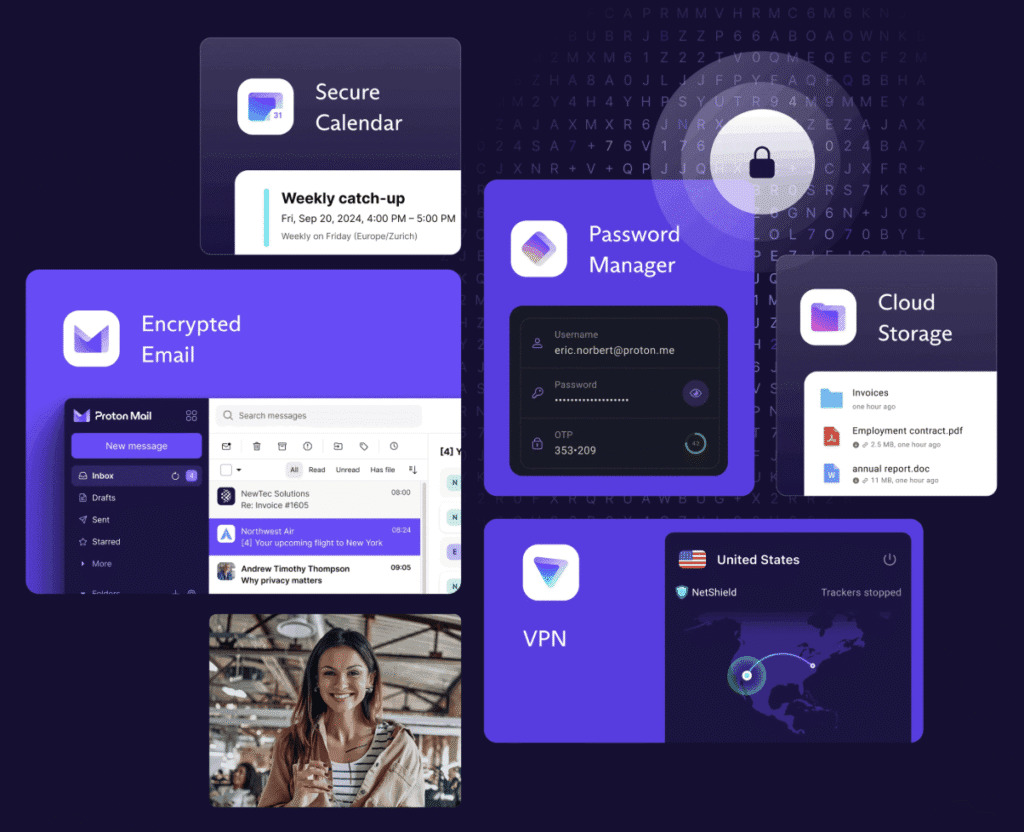
Proton Free. One Mail address, up to 1 GB and 150 messages a day. Drive up to 5 GB. VPN on one device. Calendar, Pass, Wallet, Meet and Lumo on their free tiers. No ads. You create the account after the phone arrives. The User Manual has the steps.
We are a Proton Partner, and offer up to 38% off: https://go.getproton.me/SH30e.
The same apps, on Unlimited for 12 months (~$200 value), account ready:
See the Proton website for full specs.
After the year you renew with Proton, or step down to Free. The apps stay on the phone either way.
Which tier to buy is in Essential or Pro.
One Swiss login covers mail, files, calendar, passwords, VPN and a private assistant. That is the account layer we want on GrapheneOS. Essential is the working free set. Pro Bundle is the same set with the paid room, and the account already done.
-> See all FAQs
Yes. Every Privacy Phone ships with three privacy-focused browsers, ready to use.
-> See all FAQs