
Yes. A Privacy Phone can give a child or teenager their own profile on a phone you control.
That profile has its own apps, its own PIN and its own encryption keys. You decide what is in it. While installs are switched off, they cannot add an app store and fill it themselves.
This is not a separate kids phone we sell, and it is not a monitoring service. It is a GrapheneOS feature the setup is built for. You keep Owner. They get a limited profile.
A stock family phone usually comes with a Google or Apple ID in the child’s name, and an app store already open. This layout removes both.
From 10 December 2025, age-restricted platforms in Australia must take reasonable steps to stop under-16s holding accounts. That removed a lot of Instagram, Snapchat, TikTok and YouTube logins. It did not remove the Google or Apple account created the day a normal phone came out of the box. It did not stop a browser opening the same sites without logging in.
From 10 December 2026, the OAIC must register a Children’s Online Privacy Code. The dates are in Australia’s Privacy Law Changes. Neither rule removes tracking from stock Android or iOS.
Family Link and Screen Time need a platform account on the child. You see more, but the company does too.
A Privacy Phone works the other way. You decide what exists in the profile. You do not get a live feed of their chats. Google does not get a childhood file from the operating system. An app you then allow can still collect what you permit it to collect.
Screen time, sleep and the habit itself are a separate problem. That guide is Device Addiction with Kids.
A profile is a real user. Its own apps, files, keys and PIN. An app in one profile cannot read another. You switch in seconds. See Isolation features.
Owner is yours. It takes updates and pushes apps into the profiles you manage. After a restart, Owner unlocks first, then they switch. Give them their own PIN. Keep Owner’s PIN as the master key.
When you add the profile you can block new installs and restrict calls and texts. If TikTok is not installed, it is not in that profile.
Private Space is a hidden drawer inside a profile. It is the wrong tool for a child. Use a full extra profile.
Optional Private DNS in Owner, such as Cloudflare for Families or NextDNS, blocks many adult and phishing domains. It is a layer, not a wall. A browser can still reach what DNS does not catch.
Essential arrives with Owner ready. You add their profile with the User Manual.
Pro Bundle arrives with Owner, Daily and Ghost already built. Their room is best created as a fourth profile. The 20-minute support call can cover the layout once. A longer walkthrough is a consultation. See Essential or Pro Bundle.
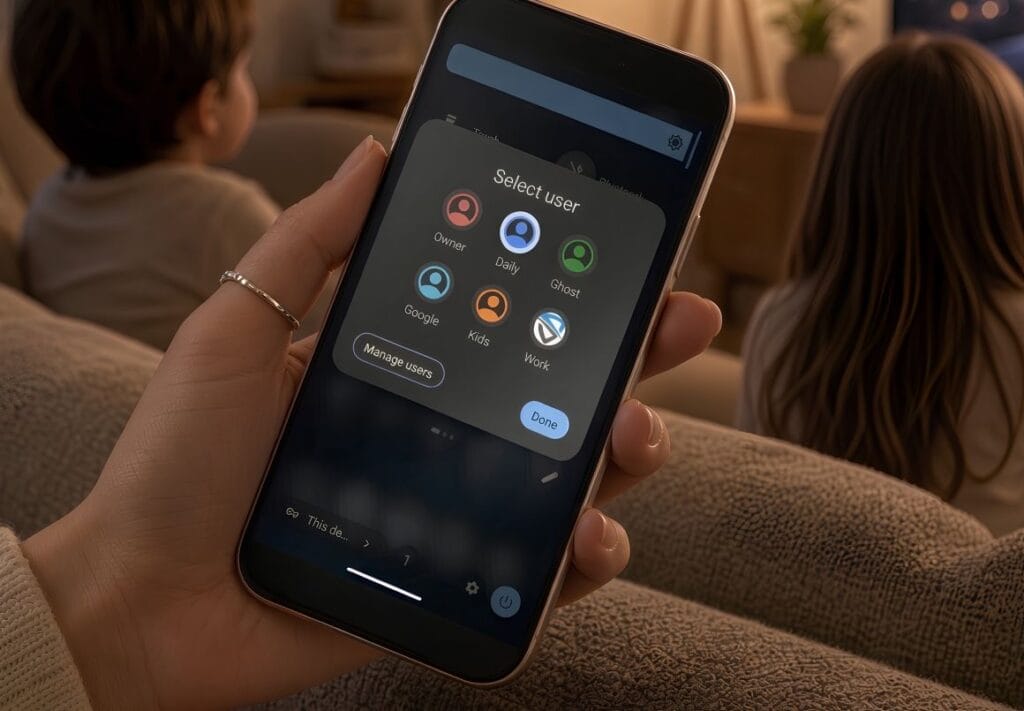
Start with a configured Privacy Phone. Keep Owner. Give them a limited profile, and control what’s in it.
-> See all FAQs
