Will a Privacy Phone work with my SIM, network and travel?
Yes. Insert a nano-SIM, or add an eSIM. The phone an unlocked, new Australian-model phone.
How a Privacy Phone works with SIM, network and travel
Telstra, Optus, Vodafone and the networks that resell them work, including Boost, Amaysim, Kogan Mobile and ALDI Mobile.
You keep your number. Port it the usual way, or move the SIM across.
Every model has one nano-SIM tray and one eSIM. Use the split for work and personal, or for a travel line.
We ship in 4G mode. Turn 5G on in Settings if you want it. Calls still work either way.
Take it overseas on 4G in most countries. A local prepaid SIM or eSIM works in the usual way.
SIM and eSIM on a Privacy Phone
Add an eSIM from the carrier’s QR code in Settings. Some carrier apps want sandboxed Play. The User Manual covers both paths. How to add that is in install apps on a Privacy Phone.
You can put the two lines in different profiles if you want them further apart. That is in isolation features.
Using a Privacy Phone for travel
Take the same phone. Proton VPN is already on it if you want an Australian-looking connection for banking or mail while you are away. See Proton apps.
A handful of countries use bands an Australian Pixel does not tune, including some US millimetre-wave. Voice and data still run on 4G in almost every case. If you live on one overseas network, contact us before you order.
Why 4G is the default
Our standards set the radio to 4G. It is a smaller radio surface, the battery lasts longer, and the networks you use in Australia still carry the call. Toggle 5G when you want the extra speed.
Android Auto on a Privacy Phone
Install Android Auto from sandboxed Play. The User Manual has the steps. Wired or wireless, depending on the car. Maps, calls and media. If a head unit is fussy, turn on the compatibility option in Settings.
Common questions about SIM, network and travel
Will my number move across to a Privacy Phone?
Yes. Port it, or move the physical SIM. eSIM moves by the carrier’s transfer, not by popping a tray.
Do I need a Google account to activate the SIM?
No.
Does 4G mean I cannot use 5G?
No. It is the default. You can turn 5G on.
Will a Privacy Phone work on a ferry or a regional tower?
It uses the same cellular hardware as a stock Pixel. Coverage is the tower, not the operating system.
What are the isolation features on a Privacy Phone?
A Privacy Phone can run separate profiles. Each with its own apps, files, and encryption keys.
GrapheneOS treats these profiles as separate users, not folders. Work stays in one. Banking stays in another. A child’s profile can be limited and controlled. Everyday apps stay in their own room. You switch between them in seconds, with no reboot.
How isolation features work
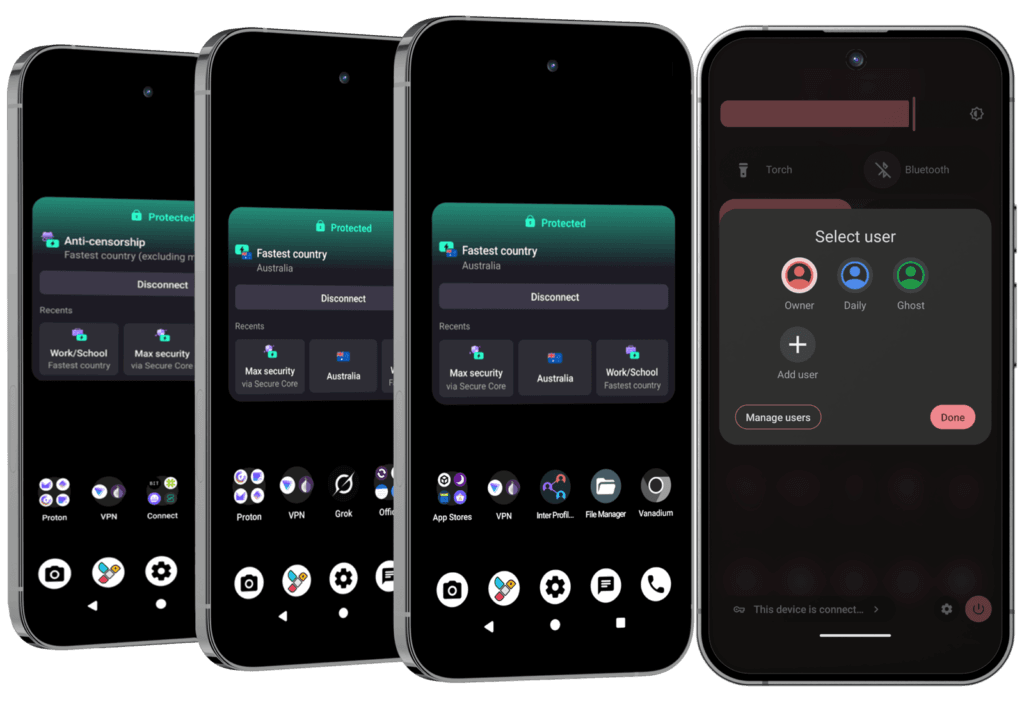
Essential arrives with the Owner profile set up, and Private Space ready to use.
Pro Bundle arrives with three profiles already built: Owner, Daily and Ghost. You can add more, up to 32.
Storage Scopes and Contact Scopes limit what one app can see inside a profile.
On a normal phone, one compromised app or one shared gallery can see far more than it should. Separate profiles limit how far that reaches.
A profile is a complete separate user on the phone. It has its own apps, files, accounts and encryption keys. You can also control whether that profile can make calls or send texts, on the SIM or the eSIM. It is closer to carrying a second phone than to a work folder on a normal Android device.
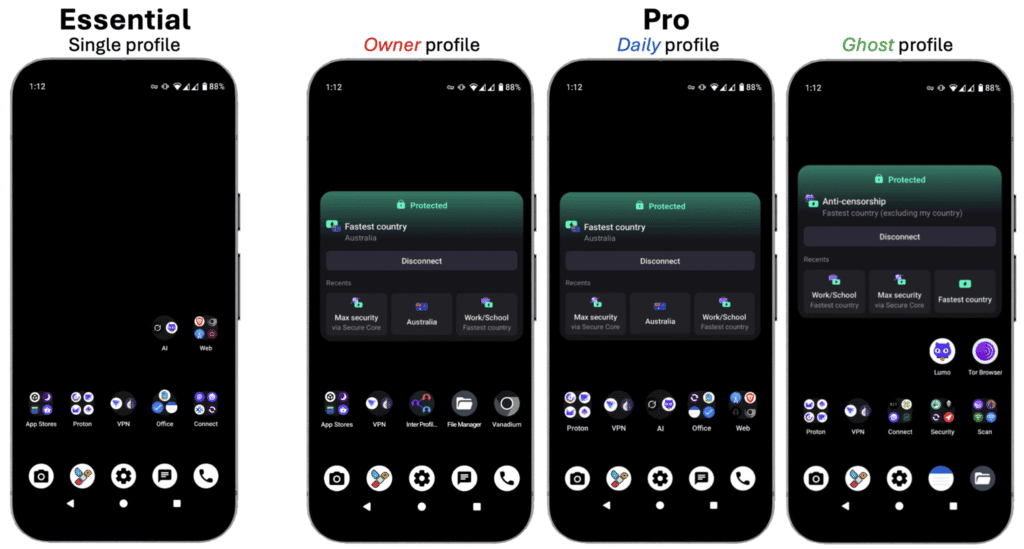
On Essential, Owner is configured. You add Private Space, and extra profiles if you want them.
On Pro Bundle, three arrive ready:
Owner – the admin profile. Installs and updates are pushed from here.
Daily – the profile you live in, with everyday apps.
Ghost – high-sensitivity profile, kept apart, with extra tools for tracker detection and private comms.
Private Space
A hidden room inside a profile, locked with its own PIN or fingerprint. Use it when you want one or two apps out of sight without creating a whole new profile. It has its own encryption. It still shares a few conveniences with the parent profile i.e. clipboard is. See it like a hidden drawer, not a second phone.
Scopes
Fine control over what one app can see inside a profile:
Storage Scopes – the app gets the folders you name, not the full gallery and downloads.
Contact Scopes – the app gets the contacts you pick, not the full address book.
The User Manual covers how to set these up.
Common questions about isolation features
Do I have to reboot to switch profiles?
No. Switch in seconds.
Does Private Space hide everything from the parent profile?
No. It has its own encryption and its own PIN. Some conveniences still pass through. The clipboard is the usual one. Hidden drawer, not a second phone.
Can I set up a profile for a child?
Yes. You decide which apps exist, whether new installs are allowed, and whether calls and texts are restricted. See Privacy Phones for a child or teenager.
Separate profiles are one of the strongest practical advantages of this system. A compromised app or a messy profile stays contained.
Yes. The Proton app set is on every Privacy Phone.
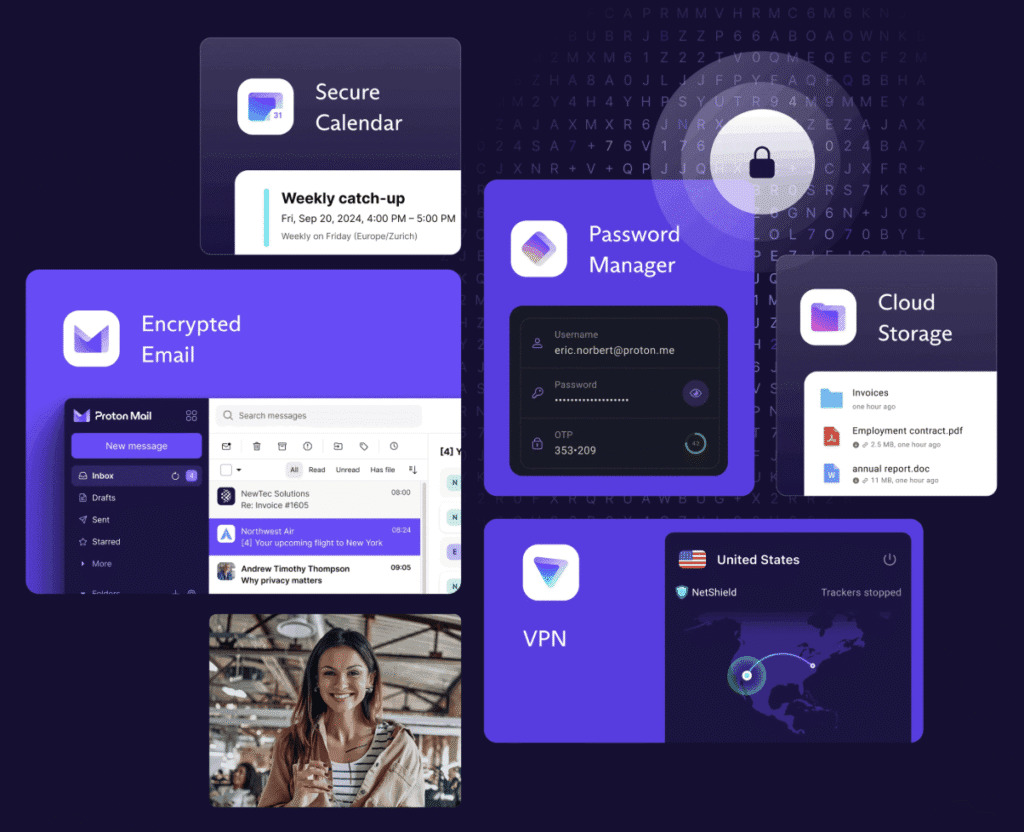
Mail, VPN, Drive, Calendar, Pass, Authenticator, Wallet, Meet and Lumo are installed on Essential and on Pro Bundle. The difference is the plan. On Pro Bundle we also set the account up.
We are a Proton Partner. The apps are Swiss-hosted. Mail and Drive are end-to-end encrypted. The VPN is no-logs. They sit inside GrapheneOS’s sandbox, so they do not get a free look at the rest of the phone.
How Proton apps work on a Privacy Phone
Same apps on both tiers.
Essential runs Proton Free. You create the account. Looking to upgrade? As a Proton Partner we can offer up to 38% off: https://go.getproton.me/SH30e.
Pro Bundle includes 12 months of Proton Unlimited, about $200 at current pricing, and we complete the account setup before it ships.
Already paying for Unlimited? Contact us before you order. We send a $200 coupon so you are not paying twice.
Gmail, Outlook and a consumer VPN keep the account inside the same companies that already profile the phone. Proton is the account layer we put on GrapheneOS instead.
What Proton apps are on the phone
Mail: Encrypted email instead of Gmail or Outlook.
VPN: Routes the connection through Proton’s no-logs network. Hides your IP from the sites you visit.
Drive: Encrypted files and photos, with sharing links when you need them.
Calendar: Private calendar on the same login as Mail.
Pass: Password manager with aliases and a built-in 2FA option.
Authenticator: Standalone codes for accounts that need an extra step.
Wallet: Self-custodial Bitcoin wallet in the Proton account.
Meet: Encrypted video calls without a Google or Zoom account.
Lumo: Proton’s private AI for drafts and questions, no login / account needed.
Essential
Proton Free. One Mail address, up to 1 GB and 150 messages a day. Drive up to 5 GB. VPN on one device. Calendar, Pass, Wallet, Meet and Lumo on their free tiers. No ads. You create the account after the phone arrives. The User Manual has the steps.
One Swiss login covers mail, files, calendar, passwords, VPN and a private assistant. That is the account layer we want on GrapheneOS. Essential is the working free set. Pro Bundle is the same set with the paid room, and the account already done.
Yes. Every Privacy Phone ships with three privacy-focused browsers, ready to use.
How the secure browsers work on a Privacy Phone
Vanadium is GrapheneOS’s hardened daily browser. No Google telemetry. It updates with the system.
Brave blocks ads and trackers, and can sync bookmarks to a computer and other devices.
Tor Browser sends the session through the Tor network when you want that extra hop. It is slower. Some sites block it. It is not the all-day browser.
Chrome is not installed. A normal phone opens Chrome or Safari already tied to an account. These three keep that out of the default path.
The three browsers on a Privacy Phone
Vanadium is the one to live in. It is based on Chromium, with site isolation, a strong sandbox, and memory protections on supported Pixels. It does not send your browsing to Google. Security updates arrive with GrapheneOS.
Brave is the one with built-in ad and tracker blocking, and encrypted sync if you want the same bookmarks on a computer. The User Manual has the steps and a sync guide for your PC and other devices. It also has a Tor window for a tighter session, without opening a separate app.
Tor Browser is the one for a session you do not want tied to your normal browsing. Traffic goes through the Tor network. Use it when that matters more than speed. Do not use it for the bank.
Common questions about the secure browsers
If I log into Gmail or Facebook, am I still private?
The browser leaks less. The account still knows it is you. That is the account layer. Proton Mail instead of Gmail. A private browser instead of a logged-in Chrome profile. See Proton apps on Privacy Phones.
Can I install Chrome on a Privacy Phone?
Yes, from Aurora or sandboxed Play. We do not recommend it as the daily browser. How to add an app is in install apps on a Privacy Phone.
Does a private browser hide me from my carrier?
No. It cuts what the tab sends. It does not hide a SIM, and it does not replace GrapheneOS. Use Vanadium or Brave for the day. Reach for Tor when the session needs the extra hop.
Every Privacy Phone arrives with a vetted set of apps installed and ready. You are not assembling a privacy stack from scratch.
How pre-installed apps work on a Privacy Phone
Essential and Pro share the same foundation: private browsers, Proton, encrypted messaging, maps, notes and the day-to-day tools.
No Google or Apple account is required to use them.
Pro Bundle adds a year of Proton Unlimited with the account set up, three profiles ready, and extra tools in the Ghost profile.
Sandboxed Google Play is available. It is not switched on at dispatch. How to add an app is in install apps on a Privacy Phone.
A stock phone arrives already tied to a platform account and a store that profiles you. This set works on day one without that.
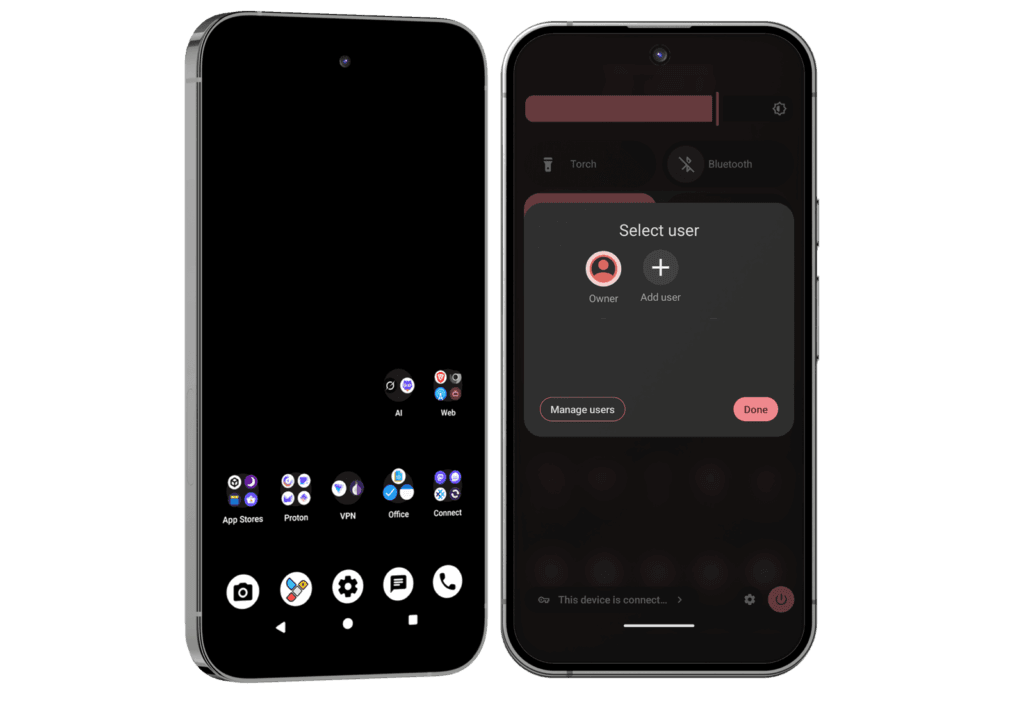
Apps on every Privacy Phone (Essential and Pro)
Browsing: Vanadium (GrapheneOS’s hardened browser), plus Brave and Tor Browser. Private ways to play podcasts, music and video offline.
Proton Free: Mail, Drive, Calendar, VPN on one device, Pass and Authenticator. You create the account. Swiss-hosted.
Day to day. Documents, encrypted notes, encrypted calls and messages, offline maps and weather, and a tool to strip location data from photos before you share them. A private assistant that does not keep your prompts.
Extra apps on the Pro Bundle
Everything above, plus:
Proton Unlimited for 12 months. About $200 at current Proton pricing: 500 GB of Drive, VPN on up to 10 devices, more addresses, Pass vaults, Sentinel and dark-web alerts. After the year you renew with Proton. Already paying for Unlimited? Contact us before purchase for a $200 discount coupon so you are not paying twice.
Three profiles ready: Owner, Daily and Ghost. You can add more, up to 32. How those rooms work is in isolation features. Which tier to buy is in Essential or Pro.
Ghost profile tools: Tracker detection (bluetooth and network scanners), rogue hotspot identification, secure peer-to-peer communication tools, location spoofing, Proton + Tor/Orbot hybrid VPN configurations, secure document shares, and the extra notes in the Pro manual.
Why these apps are pre-installed
Unlike others, we provide a complete, ready-to-use privacy-first ecosystem. Our detailed User Manuals include an overview of each app, Pro-tips, video links, alternatives, etc.
This approach helps you avoid a steep learning curve while maximising privacy from day one.
Every Privacy Phone arrives with four app stores already set up. You can browse and install without a Google or Apple account.
Pick a store. Install what you need. The phone still feels like Android.
How to install apps on a Privacy Phone
Install from GrapheneOS Apps, Accrescent, F-Droid or Aurora.
Most Android apps run on GrapheneOS.
If a bank or a government app asks for Google Play, turn on sandboxed Play in that profile. The User Manual walks through it.
Use the stores first. A random APK file is the last resort.
A normal phone puts a Google or Apple login at the door of every install. This one does not.
The four app stores on a Privacy Phone
GrapheneOS Apps is the project’s own store. The camera, Vanadium, and the other first-party tools, signed by GrapheneOS.
Accrescent is a small, high-trust store for this system. Apps are checked against pinned signing keys. The catalogue is shorter on purpose.
F-Droid is free and open-source apps. Listings note trackers, so you can see them before you install.
Aurora Store is the Google Play catalogue without signing in with your own Google account. Use it when the app only lives on Play. A paid purchase still needs a Google account for that transaction.
Common questions about installing apps
Will the apps I need work on a Privacy Phone?
For most people, yes. Major Australian banks generally run once sandboxed Play is on in the profile that needs them. We leave Play off at dispatch, so the default stays private. You add it only if a specific app asks.
Sandboxed Play is an ordinary app. It is isolated from the rest of the system. It does not get the system access Play Services has on a stock Android phone. See details in De-Googled Phones Australia: Switching in 2026.
Do I need a Google or Apple account to install apps?
No. The four stores work without one. The exception is a paid Play purchase through Aurora. That transaction needs a Google account.
Can I install an APK file directly on GrapheneOS?
GrapheneOS allows it. Prefer a store with signed apps when you can. The User Manual covers the safer path, and when a website is enough without an app at all.
What about Maps, YouTube or my bank apps?
Most banks work with sandboxed Play. Maps and video already have private alternatives on the phone. See apps that come pre-installed. You can add the official apps from Aurora or sandboxed Play if you choose to.
What about the September 2026 Android install rule?
From 30 September 2026, certified Android phones in four countries only install apps from registered developers, with a wider rollout planned for 2027. A GrapheneOS phone is not a certified Play device, so it does not enforce that rule. The stores above keep working.
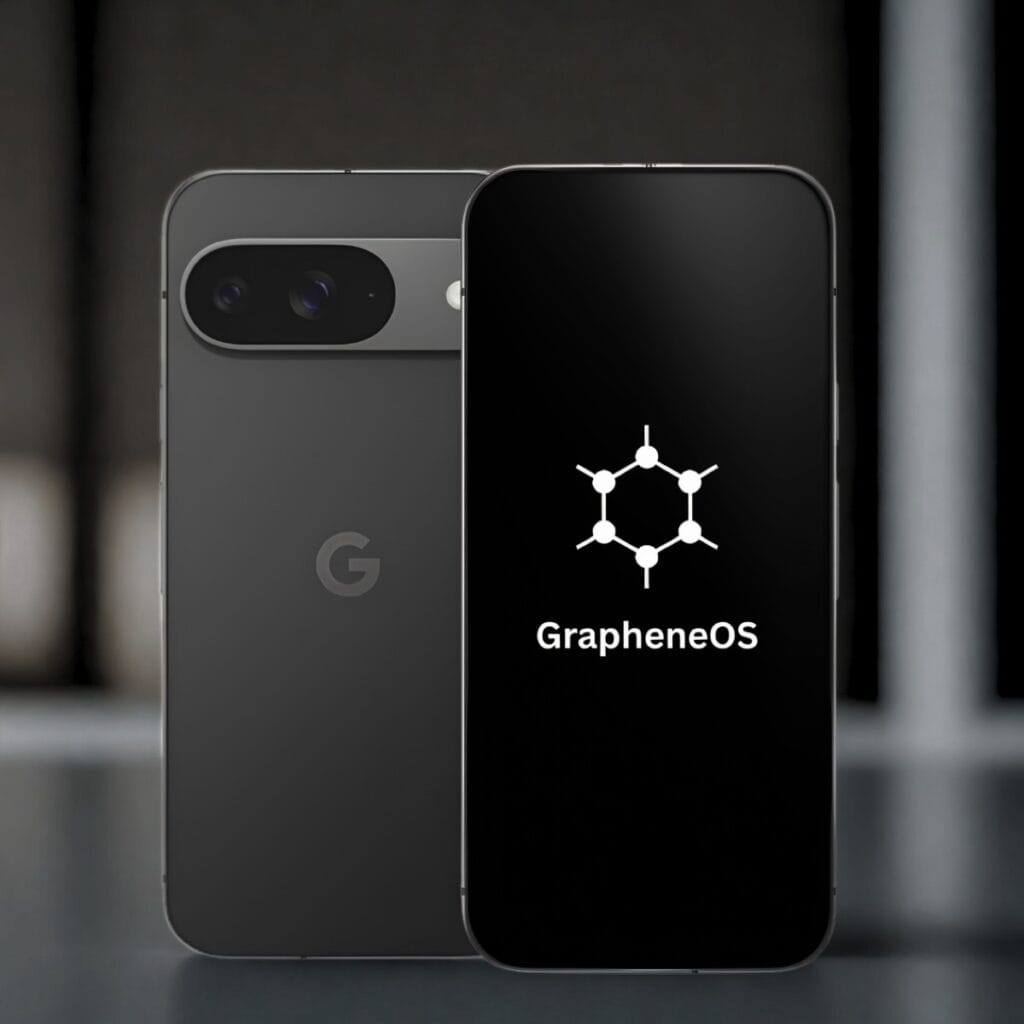
GrapheneOS is a privacy-focused Android-based operating system for Google Pixel phones. It is de-Googled: Google services and tracking are removed while everyday Android apps still work. We sell new Australian-stock Pixels with GrapheneOS professionally configured by hand, with a 2-year Australian warranty and Australian support.
Is GrapheneOS legal in Australia?
Yes. GrapheneOS is free open-source software that you install and use on a phone you own. It works on Telstra, Optus and Vodafone networks in Australia, and you keep your existing number. No special permissions are required to use it on your device.
How does GrapheneOS compare to other de-Googled systems?
Privacy experts and organisations such as Proton align with GrapheneOS as the strongest de-Googled Android option for a Privacy Phone in 2026.
Does GrapheneOS only run on a Pixel?
Officially, yes. Current support is for Google Pixel phones because they meet the required hardware and update standards. PrivacyPros sells new Australian-stock Pixel phones for this reason.
How a GrapheneOS Privacy Phone works
You order a new Australian-stock Pixel Privacy Phone which includes a 2-year Australian warranty.
We update the phone to the latest stock firmware.
We unlock the bootloader, flash GrapheneOS, then relock the bootloader so Verified Boot stays on.
We professionally configure it by hand to our standards for 4-7+ hours for privacy, security and usability.
Australian support by a team of privacy advocates.
There is no flashing or technical setup required from you. The phone arrives ready to use. You insert your SIM or eSIM and start everyday use.
GrapheneOS key features in 2026
Everyday apps still work. Most Android apps run normally.
No Google or Apple account is required.
It works on Telstra, Optus and Vodafone. You keep your existing number.
One-tap controls: lock the camera, microphone, location, sensors and network when you want them off. See kill switches.
Per-app network and sensors permissions: simple toggles that can block network access or sensor data for individual apps. Sensor data includes how you move the phone, lifting it, orientation and similar motion signals. See isolation features.
Sandboxed Google Play: official Google Play that runs as a normal sandboxed app with no special system privileges. It is optional and only used in the profile that needs it.
Duress PIN: an entered code that irreversibly wipes the device (and eSIMs) if entered (for emergencies).
Auto-reboot: the phone restarts itself after a set locked period (default 18 hours) so data returns to an encrypted-at-rest state.
USB-C port control: blocks data connections at the hardware and software level while the phone is locked (default is charging-only when locked).
GrapheneOS is community-driven and does not profit from your data. For the latest GrapheneOS features, see official site list at grapheneos.org/features.
Who GrapheneOS suits
Our level of professional configuration ensures an easy transition from normal phones. Our configuration includes usability so everyday apps, calls, messages and banking work when the phone arrives. You get GrapheneOS control without the complexity.
GrapheneOS suits non-technical Australians, families and everyday users who want stronger privacy defaults without building or flashing a phone themselves.
It also suits professionals such as doctors, lawyers and journalists, plus travellers and people handling sensitive client or personal information who need tighter control over apps, sensors and location.
How does GrapheneOS compare to other de-Googled phones?
De-Googled only means Google services were removed the phone. The replacements are not equal.
GrapheneOS, CalyxOS, LineageOS and /e/OS all start from Android. They differ on security hardening, how they talk to Google, which phones they support, how fast patches land, etc.
GrapheneOS
CalyxOS
LineageOS
/e/OS (Murena)
Focus
Security-first hardening
Privacy with app compatibility
Custom ROM, wide devices
Beginner-friendly de-Google
Google path
None by default; optional sandboxed Play
microG
Customisable (potential leaks)
microG
Device Support
Google Pixels only
Pixels + others
Wide range
Fairphone and select devices
Usability for Beginners
Simple like stock Android
Easy, some Google services optional
Often needs tweaks, buggy
App-focused, slow performance
Updates
Up to 7+ years on current Pixels
Shorter, device-dependent
Varies by maintainer
Device-dependent
Australian Compatibility
Full support (Telstra, Optus, Vodafone, etc)
Good compatibility
Uneven
Limited local support
We configure and ship GrapheneOS only. It is the strongest hardened de-Googled option for Australians. You get stronger defaults, everyday apps that work, and without the trade-offs of other systems.
Is it safe to use old or refurbished phones for privacy?
A cheap privacy phone in Australia, on a used or grey-import Pixel de-Googled with GrapheneOS, is still a used phone. Some listings sell refurbished or imported units as a secure privacy phone, and do not say so. The hidden risks are the ones that matter: unknown hardware history, a short update life, a warranty that is a seller promise, and a battery that will not last the day. Make informed decisions on those facts.
Quick answer: risks of refurbished or old phones
We only sell new Australian Pixels, de-Googled with GrapheneOS. Two-year manufacturer warranty. Current support window. Then 4-7+ hours on our standards.
A used or grey-import unit can still run the operating system. The unknown history, the battery and the warranty are the problem.
If a seller will not say the phone is brand new, and cannot point to a two-year Australian manufacturer warranty, treat it as used or imported.
GrapheneOS can only ship full security updates while Google still ships firmware for that Pixel. An older model is a short remaining life.
A second-hand phone may have come through a retail return, an insurer, or an unofficial importer. That is not proof of malware. It is proof you do not know. A swapped board, altered firmware, or a tired battery is possible on any used device you did not buy new.
The update clock is already running
As of late 2026, Pixel 6 and 6 Pro support ends in October 2026. Pixel 6a in July 2027. Pixel 7 and 7 Pro in October 2027. Pixel 8 and newer have up to seven years from launch. An older Pixel is not banned from GrapheneOS while it is still on that list. After the firmware stops, you are on borrowed time.
Warranty and parts on used phones
A two-year manufacturer warranty on new Australian Pixel stock is the path for a screen, a board or a battery fault. Installing GrapheneOS does not void that on a Pixel. Used and grey-import units usually do not have that path. The typical offer is “we warrant it for 12 months”.
Age shows up as a charge that will not last the day, a swollen battery, or a replacement screen with no history. Privacy settings will not fix that.
Grey import is a separate problem. Wrong regional model. A messier parts and warranty path. It can still run GrapheneOS. It is still not new Australian stock.
What we sell instead
New stock. A known model. A two-year manufacturer warranty. Years of GrapheneOS support left. Then the configuration. Essential or Pro is how far we set it up, not whether the phone is new. See what phones we sell.
Common questions questions about refurbished phones
Are refurbished privacy phones safe in Australia?
The operating system can be. The hardware is the risk – unknown history, a short update life, and a warranty that is only a seller promise. We do not sell them.
Do grey imports sold as secure privacy devices in Australia have AU warranty?
Mostly no. A grey import sold as a “secure privacy device” in Australia is often only a 12-month seller promise, with a messier parts path and no clear manufacturer warranty. A two-year manufacturer warranty applies only to new Australian-sourced stock. Some sellers are not upfront that the phone is imported or used. exact model number and confirmation it is new Australian stock with a manufacturer warranty. If they cannot confirm both, treat it as a grey import.
Is a used Pixel still private if it runs GrapheneOS?
The system can be private. A tired battery, a swapped screen and a missing warranty are not fixed by the operating system. A clean flash replaces the software. It does not replace the parts.
How long will an older Pixel get updates?
While Google still ships firmware for that model. Pixel 6 support ends in October 2026. Pixel 7 in October 2027. Pixel 8 and newer have up to seven years from launch. After that, you are on borrowed time.
Can I bring my old Pixel and have you install GrapheneOS?
No. We configure the phones we sell. We do not take on used hardware we did not source.
Is a one-year-old official refurb from Google the same risk?
Better provenance than a grey listing. Still not new Australian stock with the two-year path we sell. We still do not build on it.
The operating system is only as useful as the hardware it sits on.
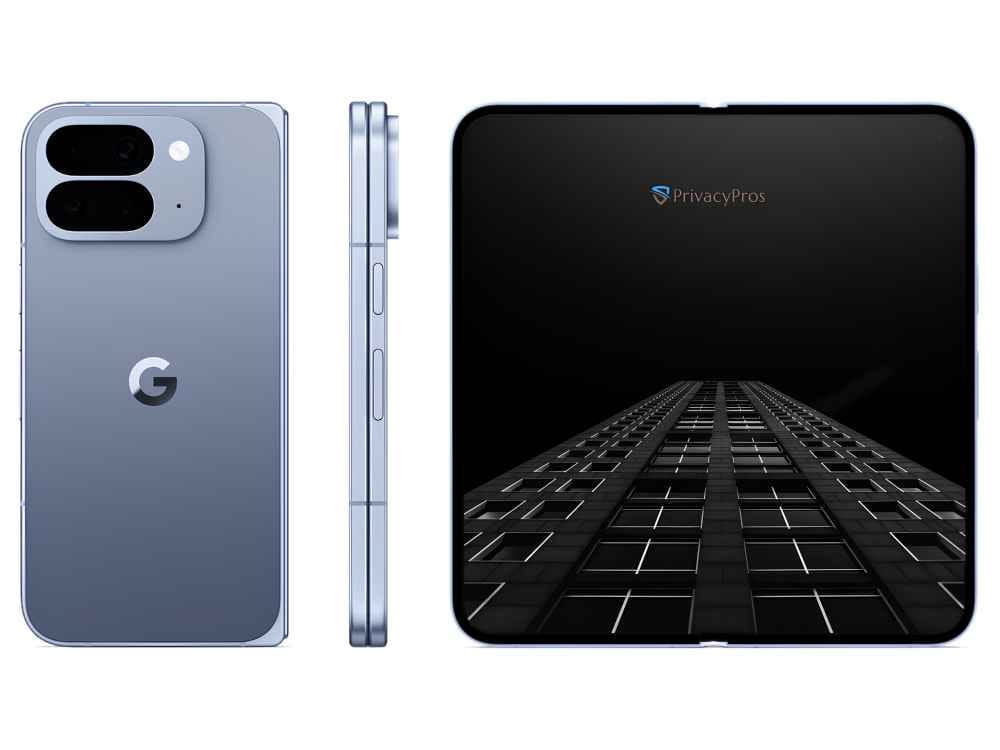
How good are the camera and display on a Privacy Phone?
The same as the Pixel you bought. We sell new Australian Pixels. The sensors, the lenses and the OLED screen are the hardware Google shipped. GrapheneOS does not swap those for weaker parts.
It does change the default camera app. It does not need a Google account, or a cloud upload, to take a picture.
How the camera and display work on a Privacy Phone
Photo quality matches a stock Pixel when you use the same app.
GrapheneOS Camera is the private default. HDR, night mode, and a way to strip location from the photo before you share it.
Install Pixel Camera only if you want Google’s heavier processing and the extra modes.
The screen is the same panel. Brightness, colour and smoothness are the phone you bought.
Camera and screen claims assume a new sensor and a new panel. We do not sell refurbished or grey-import Pixels. See what phones we sell.
The camera on a Privacy Phone
GrapheneOS Camera can run without a Google account. You can deny it the network. Cloud extras, the heavy editing tools and backup to Google Photos, need a Google account if you want them. They are optional. Leave them off.
You still have the camera kill switch. One tap and the camera is off, including to an app that already had permission. See kill switches.
The display on a Privacy Phone
The same OLED panel as that Pixel on stock Android. GrapheneOS does not dim the hardware.
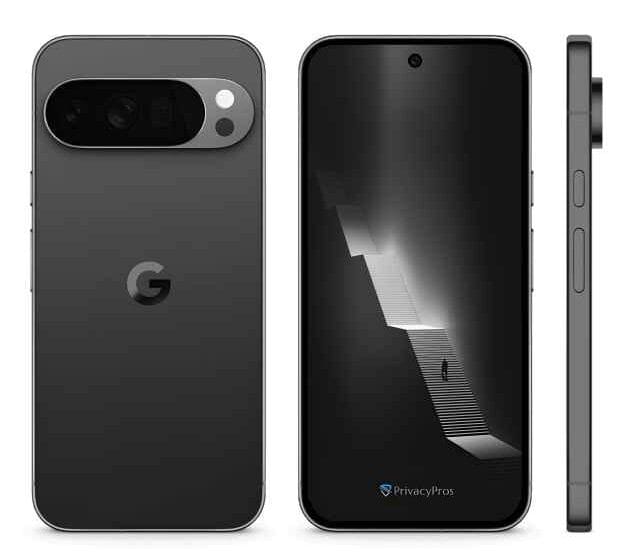
Common questions about the camera and display
Do I have to install Pixel Camera?
No. Plenty of people never do. Install it only if you want the extra processing.
Can the camera upload my photos?
GrapheneOS Camera does not need the cloud. Pixel Camera will not upload if you deny it the network and you skip Google Photos. Check the permission.
We sell new Australian Pixels, de-Googled with GrapheneOS, configured before it ships. The privacy system and setup are the same across models. The model only changes the screen, camera, battery and whether it folds.
All phones come with a 2-year Australian warranty. We don’t sell refurbished or grey import phones. A used or grey-import “privacy phone” in Australia arrives with someone else’s hardware history, inherited risks, and a shorter warranty. See PrivacyPros vs other privacy phones.
Why we only sell Pixel phones
GrapheneOS needs a bootloader you can relock, Verified Boot, a Titan security chip, and years of firmware updates. Current Pixel 9 and Pixel 10 series have that. Samsung, iPhone, generic Android, and the Pixel 11 series do not. Until another device has official GrapheneOS support and meets the same bar, we stay on new Australian Pixel 9 and Pixel 10 phones.
We sell two tiers of Privacy Phones: Essential and Pro Bundle. Both are the same phone – new Australian Pixel, de-Googled with GrapheneOS, configured before it ships. The difference is how far we set it up, how many profiles arrive ready, and what’s in the box.
Which Privacy Phone is for you?
Essential if you mainly want the operating-system leak closed. You are happy to live in one profile and add more later yourself. About 4+ hours of configuration.
Pro Bundle if you want daily use, work and high-privacy apps already separated on arrival. You also get a year of Proton Unlimited set up, a Faraday bag, and a support call. About 7+ hours of configuration.
Essential is not the insecure option. It is the same operating system with less of the setup done for you.
What’s the same on Essential and Pro
New Australian Pixel. 2-year AU warranty.
GrapheneOS configured with with kill switches, app sandboxing and optional sandboxed Google Play.
Four private app stores, Proton app ecosystem, and a vetted set of privacy apps.
Ready for Australian networks, both SIM and eSIM.
Quick Start Guide and full User Manual (extended with Pro Bundle).
Essential vs Pro Bundle
Essential
Pro Bundle
Best for
One hardened profile
Separate rooms on day one
Setup
4+ hours
7+ hours
Profiles on arrival
Owner (you add more)
Owner, Daily and Ghost (switch in seconds)
Proton
Free (you set up the account)
1-year Unlimited (~$200) + account setup
In the box
Phone, cable, SIM tool, guides
Same + Faraday bag, camera covers, RFID/NFC blocker, mini notebook, 20-minute support call
You can add extra profiles or Private Spaces on Essential later. Pro Bundle is the version where those profiles are already built, documented and supported.
The three Pro Bundle profiles
GrapheneOS profiles are isolated rooms: separate apps, data and encryption keys. Switching takes seconds.
Owner (admin, red-themed): System controls and app installs. Push apps to other profiles. Smallest attack surface.
Daily (everyday use, blue-themed): The apps you actually live in (mail, messages, browser, maps, etc).
Essential and Pro homescreens (subject to change as our standards evolve):
Which one to buy
Choose Essential if the phone itself is the main leak you want closed, and you are comfortable adding profiles later with the User Manual.
Choose Pro Bundle if you handle sensitive work, you travel, or you want work and personal apps separated the day the phone arrives, with Proton Unlimited and the Faraday bag already in the box.
Most people who want separate profiles on day one choose Pro Bundle.
Common Questions
Can I upgrade from Essential to Pro later?
Not as a switch we can flip. The extra hours, the profiles, the Proton account and the accessories are part of the Pro build. Choose the tier when you buy.
Is the Proton Unlimited year forever?
No. Pro Bundle includes one year. After that you pay Proton if you want to keep Unlimited. We are a Proton Partner, so we can offer up to 38% off a renewal: https://go.getproton.me/SH30e.
What if I already have Proton Unlimited?
Contact us before you buy Pro Bundle. We issue a $200 coupon so you are not paying twice.
Can I add profiles on the Essential phone?
Yes. GrapheneOS allows up to 32, and Private Spaces. You do that yourself, with the User Manual. Pro Bundle is the tier where Owner, Daily and Ghost are already built.
You switch to a Privacy Phone in Australia to stop the operating system collecting your location, app use and behaviour in the background, even while the phone sits idle. That stream on stock Android and iOS feeds ads, data brokers and AI systems. A Privacy Phone does not.
Privacy Phone Benefits
The operating system no longer reports home to Google. Default tracking is removed.
No Google or Apple account is required. The phone is not tied to a platform identity.
One-tap controls locks the camera, microphone, networks and sensors. See kill switches.
Apps isolated in separate profiles (up to 32). Banking not next to everything else. See isolation features.
Have a separate profile for a child or teenager. You control which apps exist and new installs can be switched off. See Privacy Phones for kids and teenagers.
Per-app network control and storage scopes. An app only sees the folders and contacts you allow.
Works on Australian networks, keep your number, run both SIM and eSIM.
New Australian Pixels only. Two-year warranty. Not refurbished or grey import. See refurbished risks.
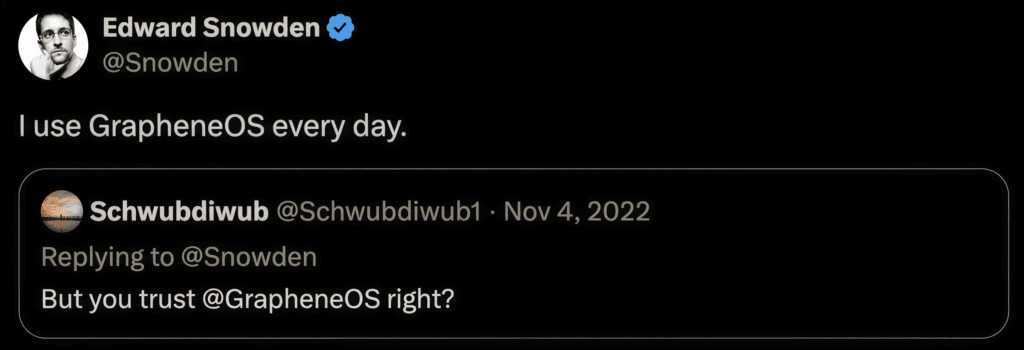
GrapheneOS is the system the privacy industry, including Proton, regards as the most private phone OS in 2026. Edward Snowden, NSA-contractor who exposed global surveillance programs, recommends it.
A Privacy Phone stops a phone operating system treating your life as a product. Our level of configuration sets a higher standard in Australia, and it arrives ready.